Free Portrait Background Remover
Remove a portrait background locally. Your photo never leaves this browser.
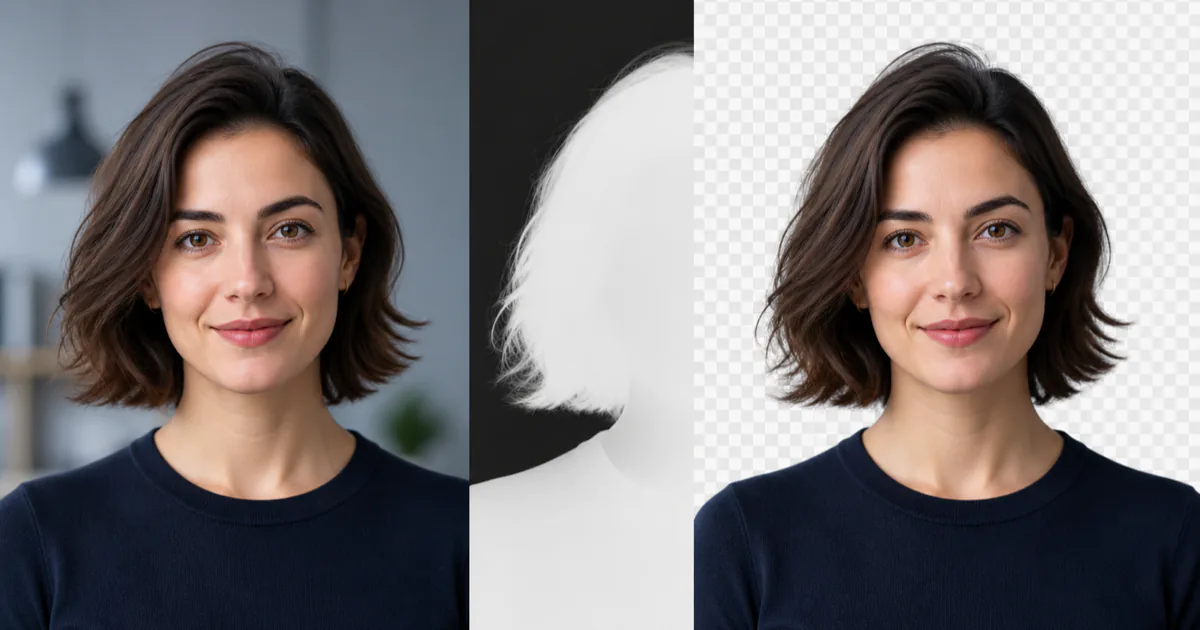
Increase softness for hair and fine edges.
Choose a portrait to begin.
Your photo is processed locally and is never uploaded.
How the local background remover works
Choose a portrait and the browser decodes it locally. MediaPipe creates a person-confidence mask, then Canvas uses that mask to separate the subject and export a PNG. The selected photo is not sent to an image-processing server.
The first image can take longer because the browser must download and compile the WebAssembly runtime and load the segmentation model. Later images in the same tab reuse the initialized model.
- Processing
- In this browser
- Uploads
- None
- Input
- JPEG, PNG, WebP up to 15 MB
- Output
- Transparent or colored PNG
For a cleaner result
- Use a well-lit portrait where the person occupies a large part of the frame.
- Choose a photo with visible contrast between hair, clothing, and the background.
- Adjust edge softness after processing to balance fine hair against background spill.
Current limits
- The model is designed for people, not products, pets, cars, or general object removal.
- Very small subjects, motion blur, backlighting, and complex hair can reduce mask quality.
- Images larger than 4096 pixels on the longest side are resized for reliable browser processing.